Where AI helps
Spotting what needs action. A client email says "also, could you check the mobile menu?" in the last line. AI is good at flagging that as a request you might miss.Pulling structure out of messy notes. After a call you type a rough paragraph. AI can turn it into: waiting for budget sign-off, promised a revised timeline, next step on Wednesday.Summarising history. Before a call, a three-line summary of the last month of notes and messages saves ten minutes of scrolling.First drafts. Given the client's history and the reason for the follow-up, AI can write a decent first version. You edit, you send.Matching replies to open items. When a reply arrives, AI can suggest which open follow-up it answers.Where AI should stay out
Deciding whether to follow up. Whether to chase, wait or let it go depends on things AI doesn't see: the tone of the last call, a client's personal situation, office politics.Sending without a person. Auto-sent follow-ups tend to arrive at the wrong moment, repeat what was already discussed, or miss a reply that came in through another channel.Sensitive conversations. Pricing disputes, missed deadlines, bad news. Write these yourself.Making things up. AI drafts can include details that sound right but aren't. Read every draft before sending.A simple rule
TaskAIYou
Flag a request in an emailSuggestsConfirm
Turn call notes into next actionsSuggestsEdit, keep or drop
Summarise client historyWrites itSkim
Draft the follow-upWrites first versionEdit and send
Decide whether to chaseNoDecide
Send the messageNoSend
How to make AI drafts sound like you
Robotic follow-ups usually come from thin context. Fix that:- Give it the reason. "Follow up on proposal, client mentioned budget review on the 15th" beats "follow up."
- Give it recent history. The last note and last message are usually enough.
- Pick tone and length. Short and friendly works for most follow-ups.
- Cut the filler. Delete "I hope this email finds you well" and anything you wouldn't say out loud.
- Add one human detail. Something from the last call that only you would know.
A prompt you can reuse
If you draft follow-ups with a general AI assistant, the quality depends almost entirely on what you paste in. This structure works well:Write a follow-up email to [name, role] at [company]. Context: [two or three lines on the relationship and the last conversation]. Last message I sent: [paste it]. What I need: [one specific outcome, such as a yes/no on the scope]. Constraints: under 80 words, one question only, no "I hope this finds you well," no "just checking in," don't invent any facts or dates that aren't in the context. Tone: [friendly and direct].The two lines doing the most work are "what I need" and "don't invent facts." Without the first, you get a pleasant email that asks for nothing. Without the second, you get an email that confidently mentions a meeting that never happened.
Before and after
A draft from thin context:Hi Tom, I hope you're doing well! I wanted to follow up on our recent conversation and see if you had any thoughts on the proposal. Please let me know if you have any questions or if there's anything else I can help with. Looking forward to hearing from you!The same follow-up with the prompt above and real context:
Hi Tom, on Tuesday you mentioned finance wanted the cost split by phase. I've attached that version: phase one is 9k, phase two 7k. Does the split work for them, or would a call with your finance lead be easier?The second one references something only you know, asks one answerable question, and is shorter. That's the bar.The stakes are about trust, not style. In a study at Cornell and Stanford, people rated the trustworthiness of Airbnb hosts from their profile text. When readers believed some profiles were AI-written, they trusted the hosts whose profiles seemed machine-written less, and they judged that mainly from text that felt generic or mechanical (Jakesch et al., CHI 2019). A client reading a generic follow-up makes the same judgment about you.
Check every draft for four things
Before sending anything AI wrote, check:- Facts. Every name, date, number and "as we discussed" is true.
- One ask. There's exactly one thing you want them to do.
- Length. It reads comfortably on a phone screen.
- Voice. You'd say it out loud to this client. If a phrase makes you wince, cut it.
Watch the data
Before connecting AI to client emails, check:- What data the tool reads, and whether access is read-only.
- Whether you can disconnect and delete the data.
- Whether your clients' contracts say anything about third-party tools.
Common questions
Will clients notice AI-written follow-ups?
They'll notice generic ones. A draft edited with real context reads like you, because most of it is.Should AI send follow-up sequences automatically?
For cold outbound at volume, some teams do. For existing clients and warm prospects, keep a person in the loop.Can AI detect follow-ups from email on its own?
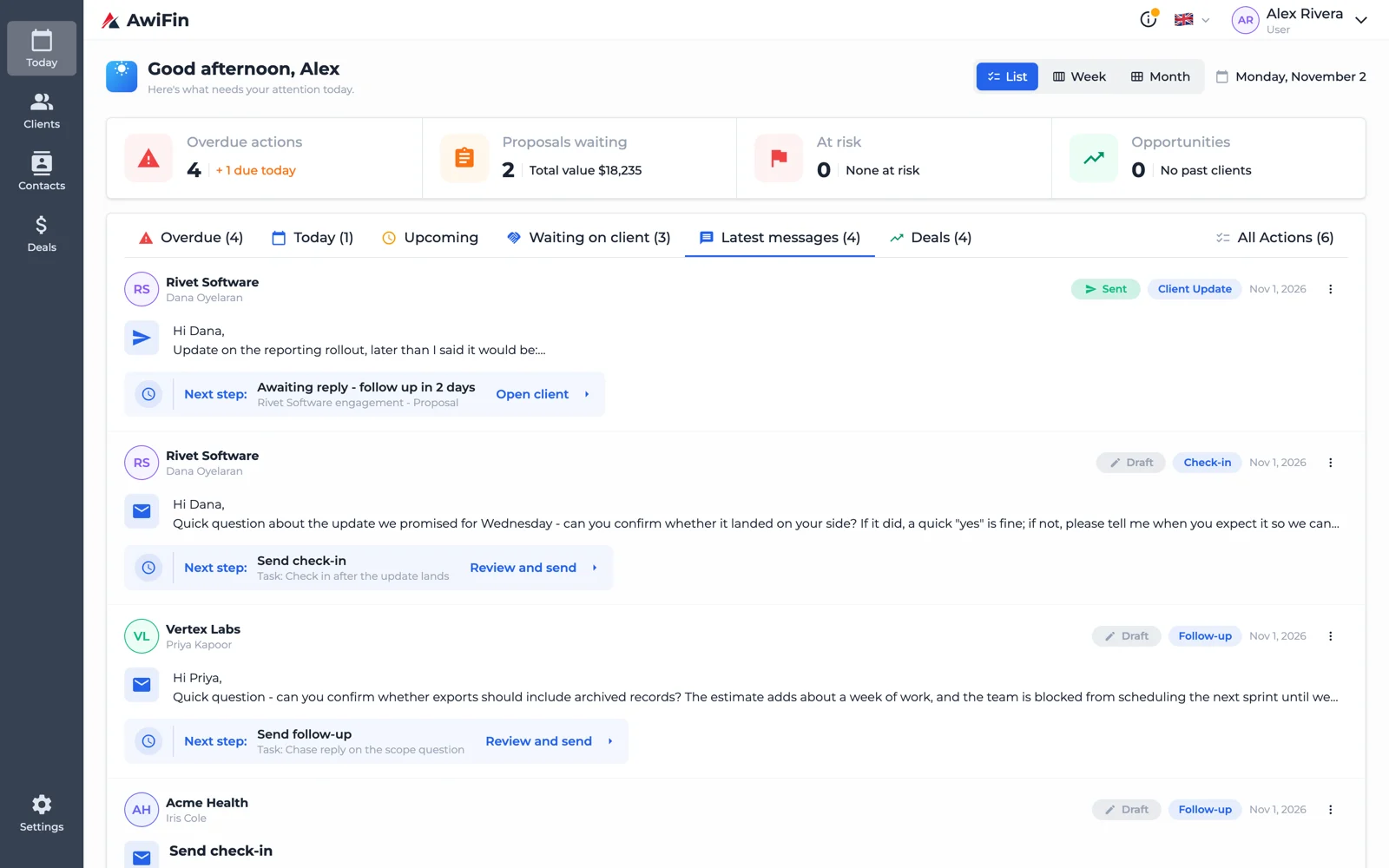
It can flag likely requests and promises quite well. It still needs you to confirm, because "let's revisit next month" might be a commitment or a polite no.How AwiFin uses AI
Sources
- M. Jakesch, M. French, X. Ma, J. T. Hancock and M. Naaman, AI-Mediated Communication: How the Perception that Profile Text was Written by AI Affects Trustworthiness, CHI 2019.