Notion vs. CRM
Your Notion client tracker works, until a proposal goes quiet
A Notion database is great for a client list. It has no idea what’s overdue today, and it can’t draft a follow-up. AwiFin does both, without leaving a table.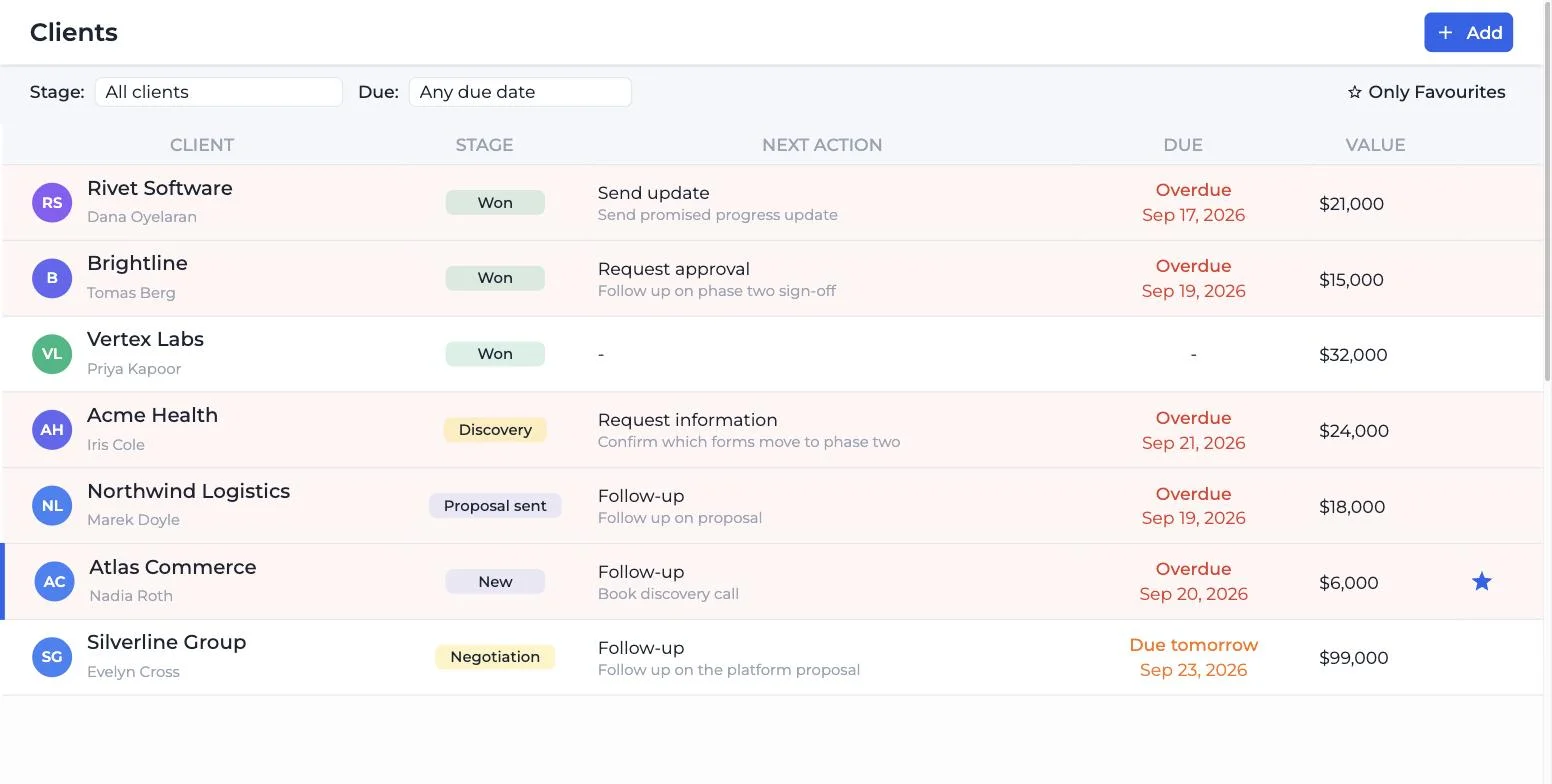
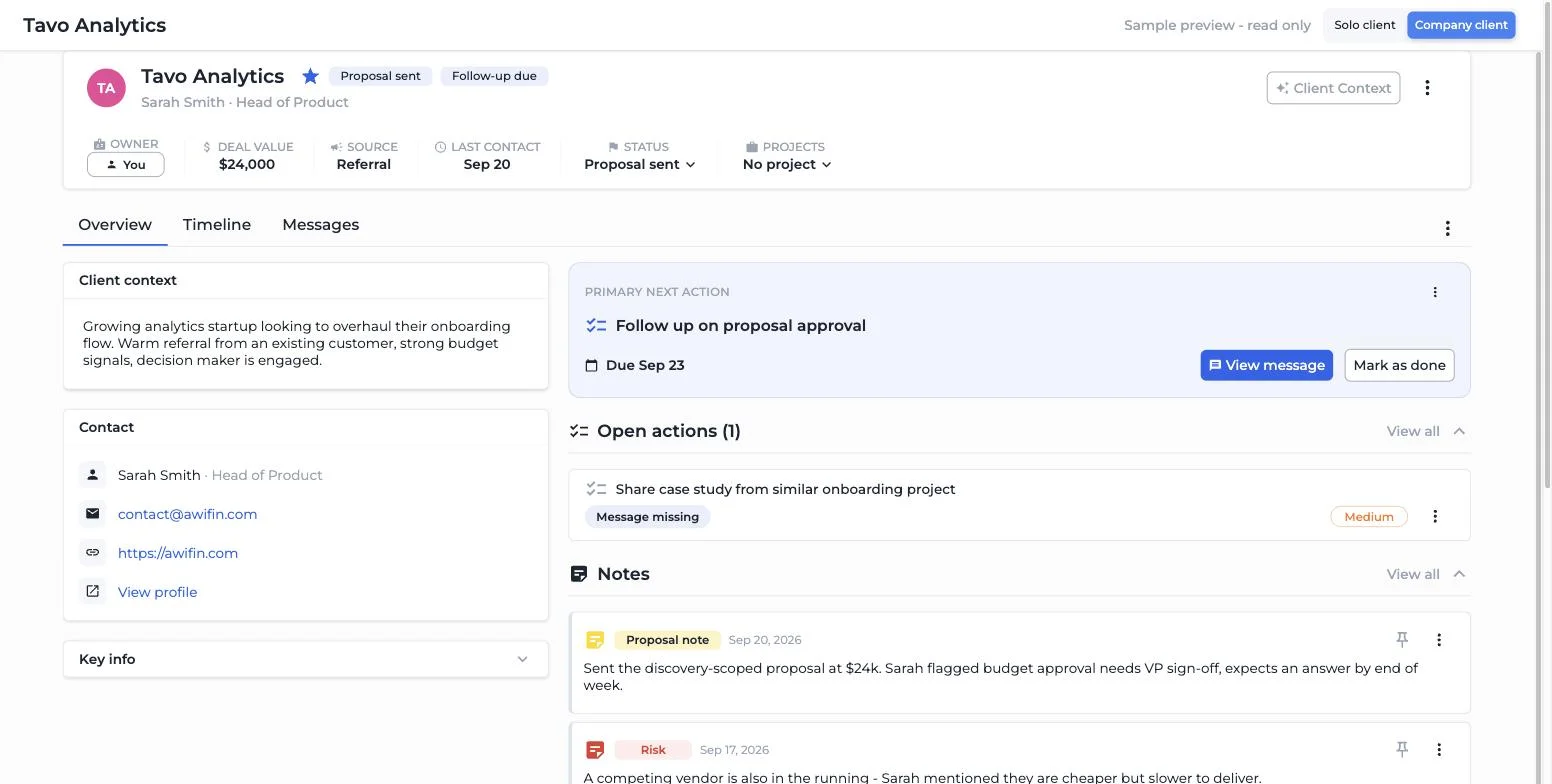
Sample workspaceEvery client, its stage and next action
Where a Notion tracker breaks down
Notion tracks clients. It doesn’t track urgency.
No daily "what needs attention" viewA Notion table shows every client at once. Nothing separates the one overdue by a week from the one you just added.
Reminders require manual formulasFollowing up on time means building and maintaining date formulas and views yourself - and they drift as your process changes.
No AI that knows the clientNotion AI writes generic text. It doesn’t know the client’s deal value, last note or why they went quiet.
How it actually works
The follow-up loop a Notion table can’t run on its own
This is what AwiFin adds on top of a client list - automatic urgency, AI drafting, and a logged next step.01
Proposal sentLogged the moment you send it, with stage and value attached to the client.
02
WaitingSits in "Proposal sent" until the client replies, or it goes quiet.
03
Follow-up becomes dueAwiFin flags it before it goes cold - no spreadsheet, no manual reminder.
04
Shows up in TodayLands in your daily view next to every other client that needs you.
05
AI drafts the messageA follow-up draft is ready to review and send, in your voice.
06
Completed, next action scheduledMark it done and the next step - a call, a check-in - is set automatically.
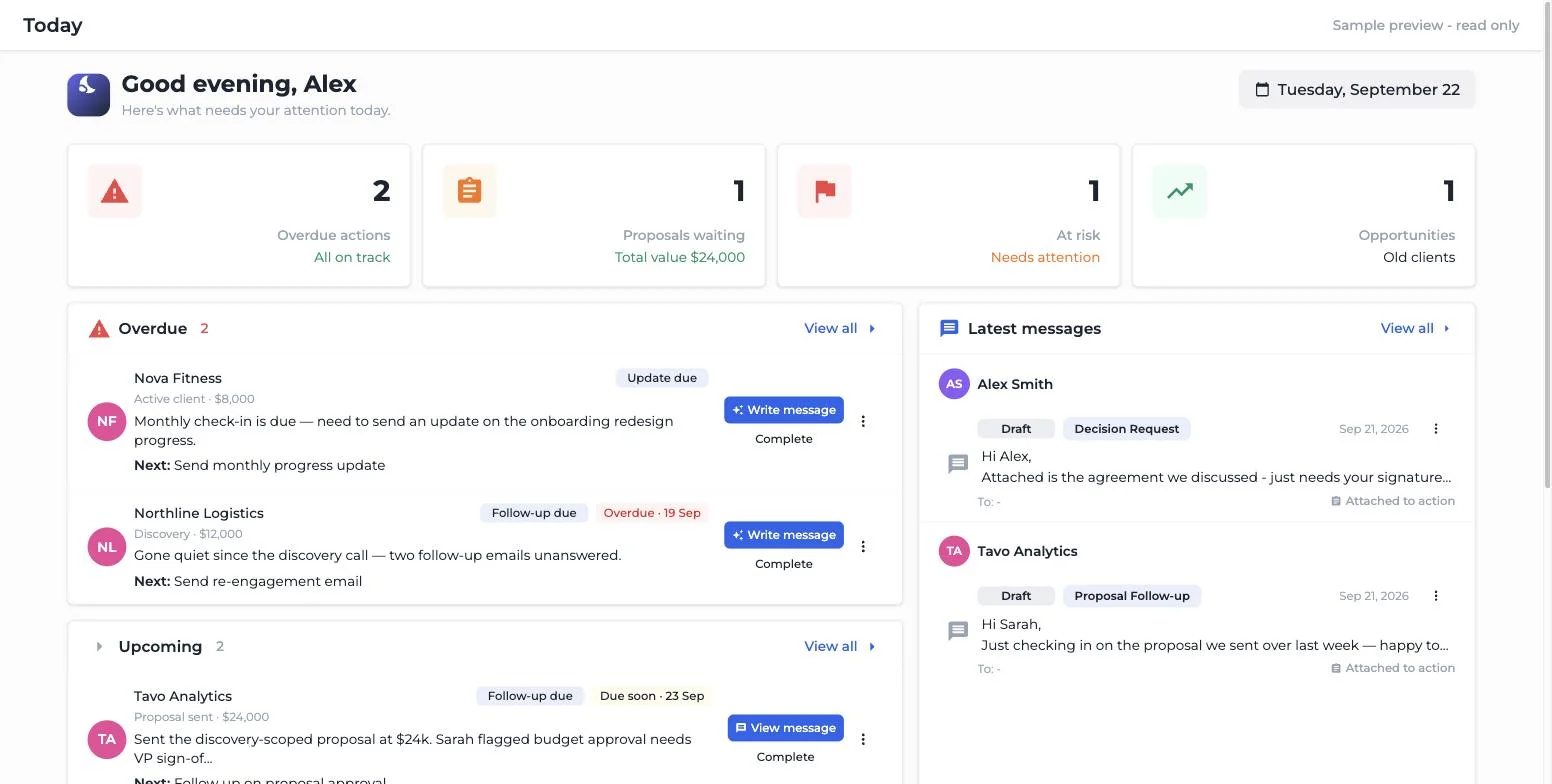
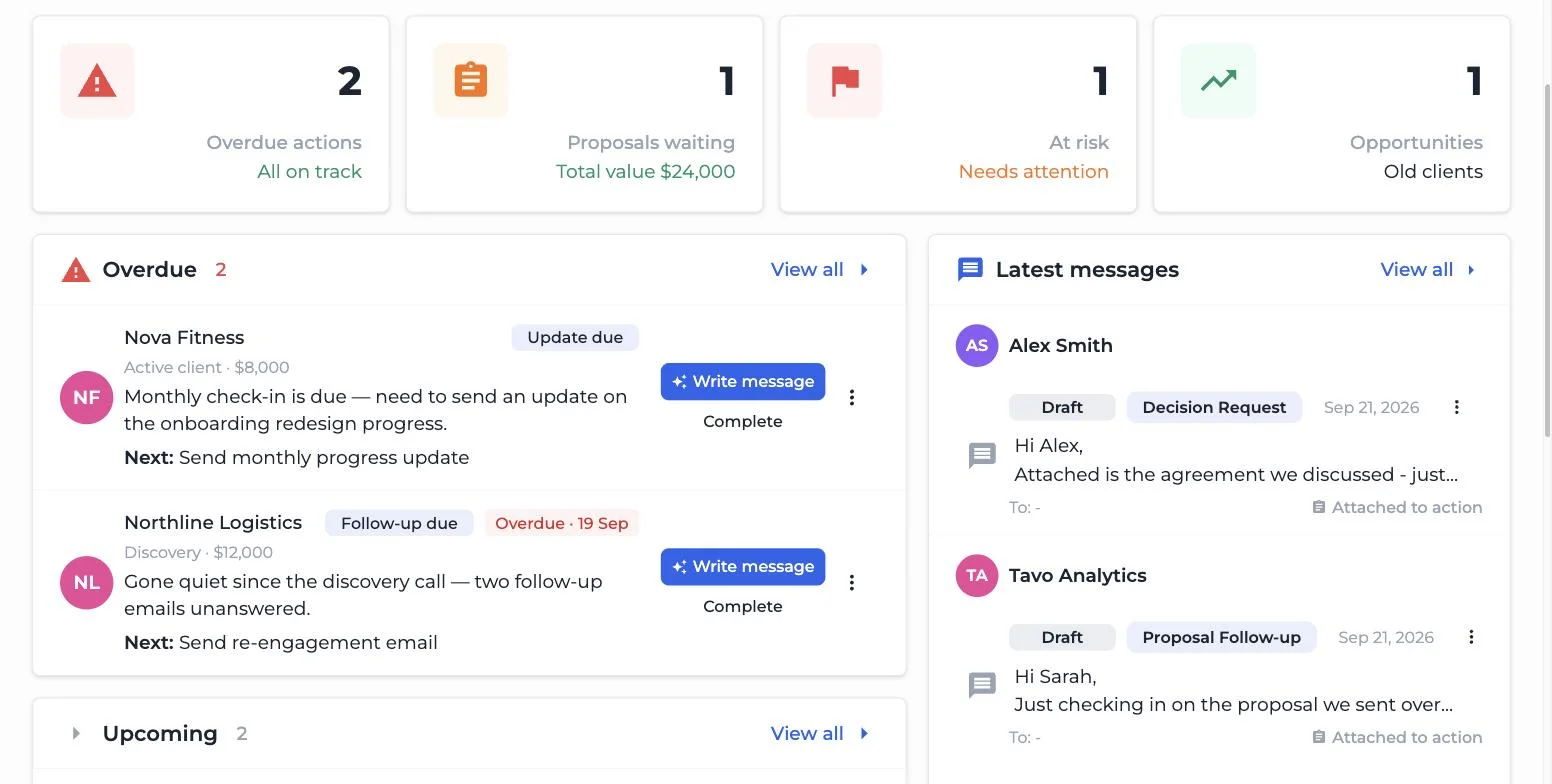
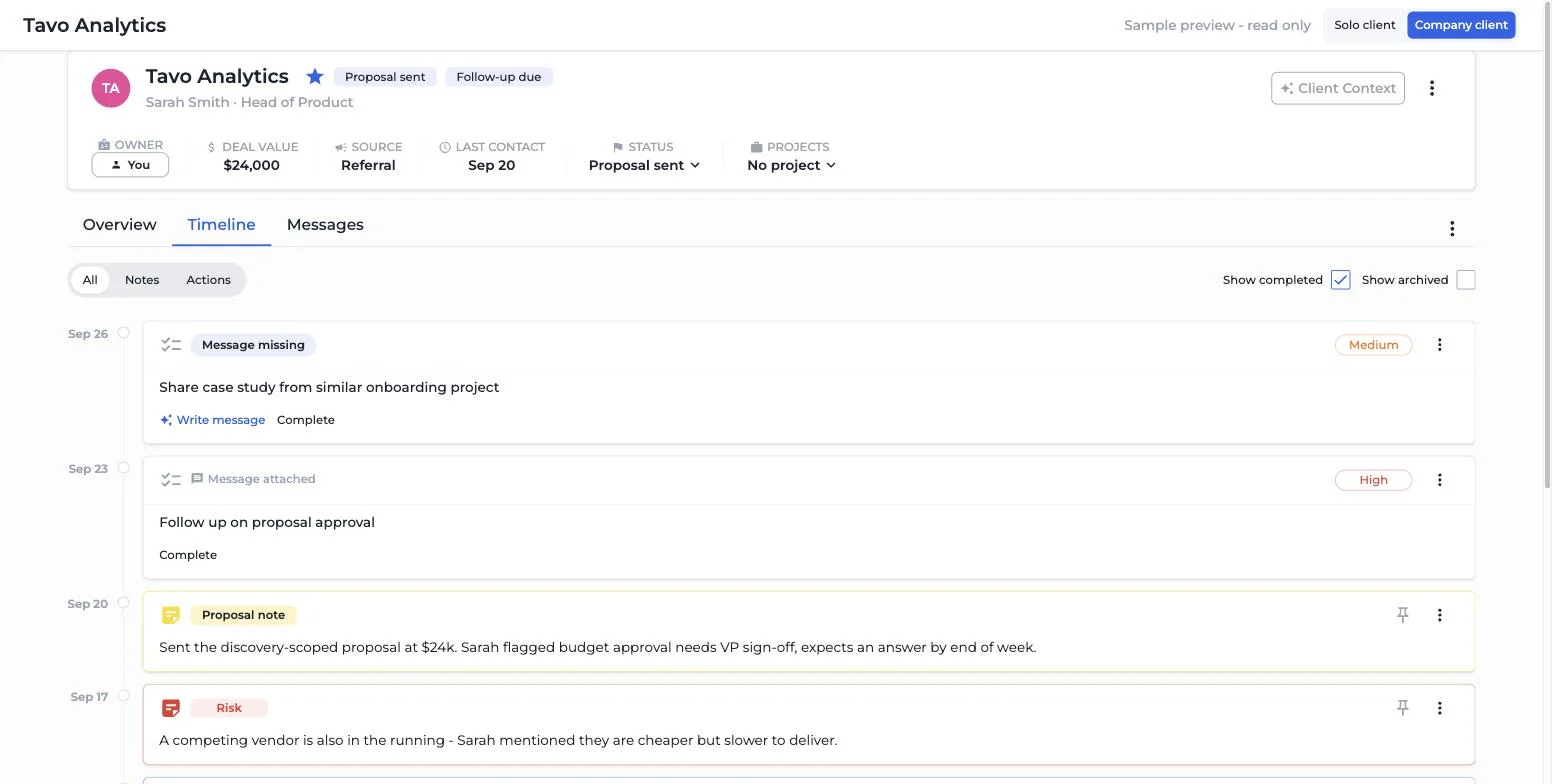
Sample workspaceStep 1-2 - proposal sent, waiting
Side by side
AwiFin vs. a Notion client tracker
NotionAwiFin
Client listDatabase, fully customizable
Built-in, agency-shaped by default
Follow-up due todayManual formulas and filtered views
Automatic Today view
Follow-up draftingGeneric AI, no client context
Drafted from the client’s own history
Email historyCopy-pasted manually, if at all
Email synced into the timeline
Pricing
Simple pricing for small teams.
One subscription per workspace, billed monthly. Plans differ by how many clients and team members you need.SoloFor founders and independent consultants handling client follow-ups themselves
$24.99/ month
✓Up to 40 active clients and 500 contacts
✓Unlimited notes, actions, promises, and follow-ups
✓AI-assisted message generation
✓Up to 2 team members
✓Email support
TeamFor small teams managing proposals and client communication together
$49.99/ month
✓Up to 200 active clients and 2,000 contacts
✓Up to 5 team members
✓Everything in Solo
✓Shared client communication history
✓Higher AI usage allowance
✓Priority email support
BusinessFor growing businesses coordinating a larger client portfolio across the team
$79.99/ month
✓Up to 500 active clients and 5,000 contacts
✓Up to 10 team members
✓Everything in Team
✓Highest AI usage allowance
✓Team activity and accountability
✓Priority support
FAQ
Common questions comparing the two
Can I export my Notion client database?Export it to CSV and add each client to AwiFin manually - most agencies have fewer than 50 active clients, so this takes minutes.
Isn’t Notion more flexible?Yes, for anything you build yourself. That flexibility is also what breaks when you stop maintaining the formulas and views.
Do I have to give up Notion entirely?No - link a Notion page to a client and its content pulls straight into AwiFin’s notes, so you keep Notion for docs and use AwiFin for follow-up.
Keep reading