What a spreadsheet does well
- Free and instant. No setup, no learning curve.
- Flexible. Add a column whenever you want.
- Familiar. Everyone on the team can use it.
- Sortable. Sort by due date and you have a basic daily list.
A starter follow-up spreadsheet
These columns are enough:ClientContactLast interactionNext actionDueWaiting onNotes
NorthwindTomProposal sent 3 NovFollow up if no reply7 NovThemBudget approx. 8k
AcmePriyaCall 4 NovSend revised scope5 NovUsWants phase 1 only
Make the spreadsheet do some of the work
A plain sheet relies on you sorting it. A few formulas and rules make it closer to a real follow-up tool. These work in Google Sheets, and almost identically in Excel. Assume the due date is in column E and the last interaction date is in column H.Add thisHow
Days overdue column=IF(E2="", "", MAX(0, TODAY()-E2))
Days since last contact=IF(H2="", "", TODAY()-H2)
Red rows when overdueConditional formatting, custom formula: =AND($E2<>"", $E2<TODAY())
Amber rows when due todayConditional formatting, custom formula: =$E2=TODAY()
Flag rows with no next actionConditional formatting, custom formula: =AND($A2<>"", $D2="")
A "Today" tabOn a new tab: =FILTER(Sheet1!A2:G, Sheet1!E2:E<=TODAY(), Sheet1!E2:E<>"")
Consistent "Waiting on" valuesData validation dropdown with just "Us" and "Them"
- Use filter views, not sort. In a shared sheet, one person sorting rearranges everyone's view. Filter views are personal.
- Never delete a row when a client goes quiet. Set the next action to a check-in date months out. Deleted rows are how you lose past clients who would have come back.
Where spreadsheets start to break
A spreadsheet stores data. It doesn't do anything with it. That's fine until:- Dates go stale. You followed up, but forgot to change the date. Now the sheet says it's overdue and you've stopped trusting it.
- History gets squashed. "Last interaction" holds one line. The three emails before that are gone, or crammed into a Notes cell.
- Two people edit it. Somebody sorts while someone else types, and a row ends up on the wrong client.
- Context lives elsewhere. To write the follow-up you still need the email thread, the call notes and the proposal.
- Nothing reminds you. If you don't open the sheet, nothing happens.
Signs you've outgrown it
You probably need something more if two or more of these are true:- You've missed a follow-up that was in the sheet.
- You have more than about fifteen active clients and prospects.
- Someone else also follows up with your clients.
- You spend more time updating the sheet than writing follow-ups.
- You keep a second list somewhere because the sheet is too messy.
What a CRM adds
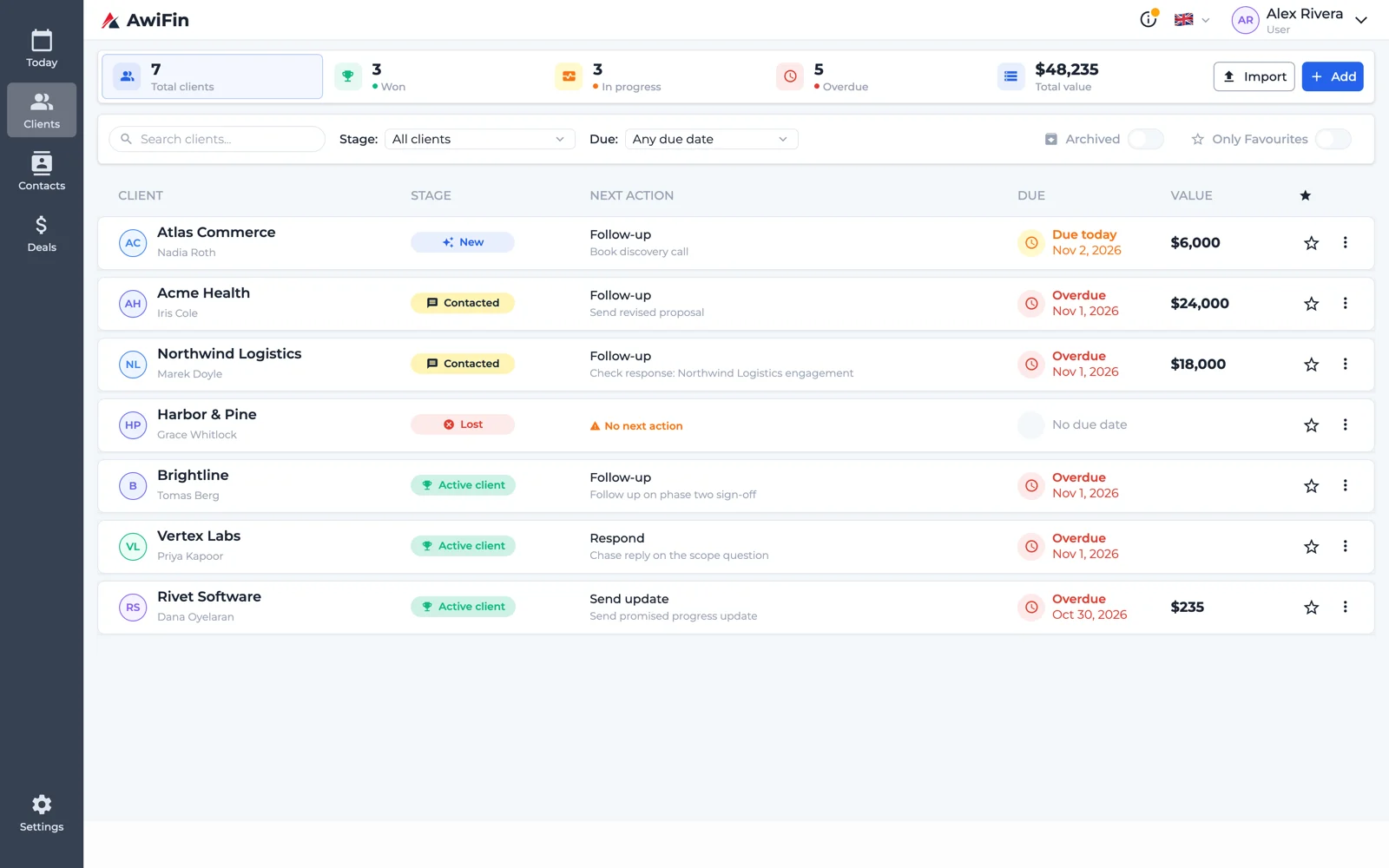
A good CRM or follow-up tool adds what a spreadsheet can't:- A history per client that grows with every note and message.
- A daily view of overdue, due today and waiting, without sorting anything.
- Shared access without overwriting each other.
- Reminders that come to you, instead of you going to them.
How to switch without losing anything
- Export the sheet to CSV.
- Import only active clients and open prospects. Leave the dead leads behind.
- For each client, set one next action with a date.
- Use the new tool alone for one week. Don't keep the sheet "just in case."
Common questions
Can I use spreadsheet reminders instead?
You can set up notification rules or scripts, but they're fiddly to maintain. Most people end up ignoring them.Is Airtable or Notion a middle ground?
Yes. They're more structured than a spreadsheet and more flexible than most CRMs. The catch is that you design the system, including the daily view. More in managing clients in Notion.Do I lose flexibility with a CRM?
Some. That's partly the point. A fixed structure means the important fields always get filled in.From spreadsheet to AwiFin
Sources
- R. R. Panko, What We Know About Spreadsheet Errors, Journal of End User Computing (revised version on arXiv, 2008).